
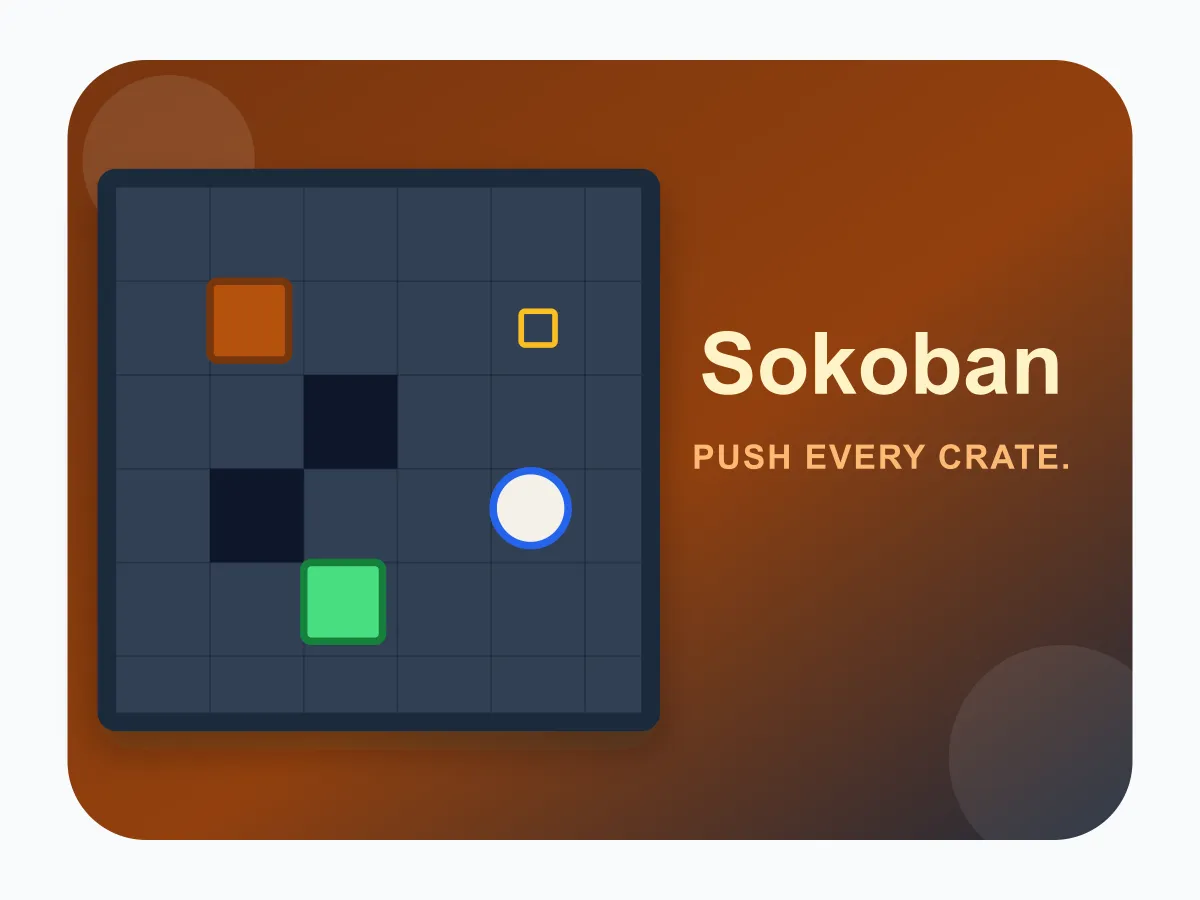



Sokoban is a free online warehouse puzzle you can play instantly in your browser, no download, no account, and no waiting for another player. Move your warehouse keeper one tile at a time and push crates ahead of you — you can only push, never pull, so a crate shoved into a corner or against a wall with no goal behind it can get stuck for good. Plan your route before you commit to a push, since every level is generated to be solvable from its starting layout. Clear all of a room's goal tiles to finish the level. Play through 15 rooms that grow from a small open 6x6 space with two crates up to a 9x9 warehouse full of pillars and six crates to steer around.
How to play Sokoban
- Tap any floor tile directly next to your character to step onto it, or use the on-screen arrows or your keyboard's arrow keys / WASD.
- Walking into a crate pushes it one tile further in that same direction, as long as the tile beyond it is empty floor — you can only push a crate, never pull it back toward you.
- A goal tile is marked with a faint outline. Push a crate onto every goal tile in the room to clear the level.
- A crate shoved into a corner, or against a wall with no goal directly behind it, can become permanently stuck — use Undo to back out of a bad push instead of restarting from scratch.
- The level is solved the moment every crate sits on a goal tile, however many moves it took.
- Clear a level to unlock the next one, where the room grows larger, adds more pillars to navigate around, and gives you more crates to place.
Tips
- Plan the last few pushes first — work backward from each goal tile to figure out which direction a crate needs to approach from before you commit to pushing it there.
- Never push a crate into a corner (two walls meeting) unless that exact corner is a goal tile — a crate in a non-goal corner can never be pushed out again.
- If a crate is against a wall and no goal tile sits anywhere along that same wall, sliding it further along that wall will trap it there permanently — redirect it before it reaches the wall.
- Use Undo freely while you're testing a push — it costs nothing and is faster than restarting the whole room from scratch.
FAQ
Is Sokoban free to play?
Yes. Sokoban is completely free to play online with no download, no account, and no in-game purchases.
Does Sokoban work on mobile?
Yes — tap a tile next to your character to move or push, so it works on phones, tablets, and desktop with a keyboard.
Can I pull a crate back toward me?
No — in Sokoban you can only push a crate by walking into it. There is no pull move, which is exactly why pushing a crate into a corner or dead end can leave it permanently stuck.
Is every Sokoban level guaranteed to be solvable?
Yes. Every layout is generated by starting from a solved warehouse and working backward, so a solution always exists from the starting position — getting stuck only happens if a crate is pushed somewhere it shouldn't have been, which Undo can always fix.
How many levels does Sokoban have?
There are 15 levels, growing from a small open 6x6 room with 2 crates up to a 9x9 warehouse with interior pillars and 6 crates to place.