
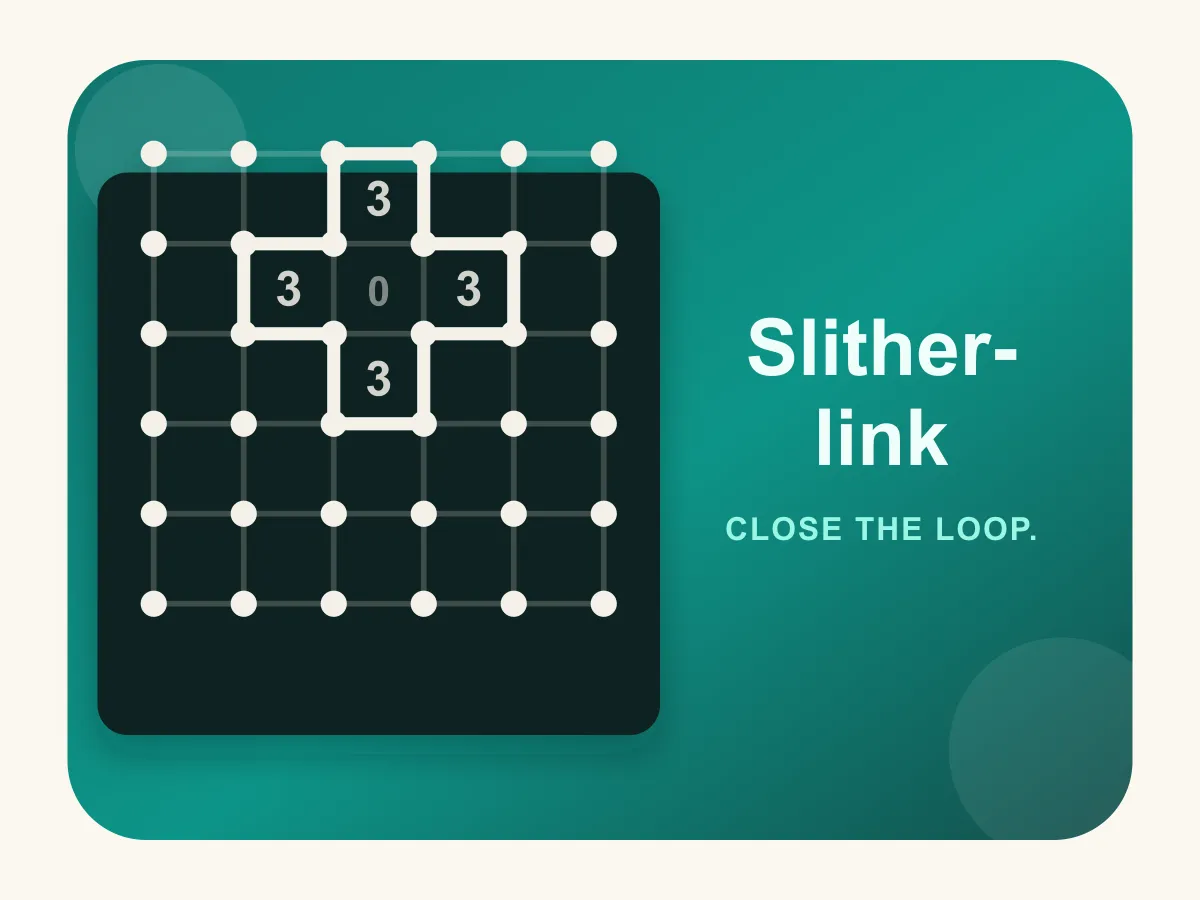



Slitherlink is a free online loop-drawing logic puzzle, also known as Fences or Loop the Loop, that you can play instantly with no download and no account. Connect dots with horizontal and vertical lines until they form one continuous, non-crossing loop, using the numbers 0-3 printed in some cells as your only clues — each number tells you exactly how many of that cell's four sides the loop must cross. Work through 10 levels that grow the grid from a quick 5x5 warm-up to a full 8x8 board while fewer numbers are revealed, so later puzzles demand real deduction instead of guesswork.
How to play Slitherlink
- Each level shows a grid of dots. Some of the cells between them hold a number from 0 to 3 — the rest are left blank.
- Tap or click any edge between two neighboring dots to draw a line there; tap it again to erase it.
- Right-click (or long-press on touch) an edge to mark it with an X instead, a bookkeeping note for "this edge is definitely not part of the loop" that does not count as a drawn line.
- Every numbered cell must end up with exactly that many of its 4 sides drawn as lines — a blank cell has no such requirement and can have any number of drawn sides.
- All of your drawn lines must connect into a single loop with no branches, no dead ends, and no crossings — every dot you use must have exactly two lines meeting at it.
- Close the loop so it matches the hidden solution and the level is complete. Clear it to unlock the next level, where the grid grows and fewer numbers are given.
Tips
- Start with the easy forced edges: every 0 means all 4 of that cell's sides stay empty, and every 3 in a corner has 2 of its sides forced in immediately since a grid corner only touches 2 possible edges beyond that.
- Check each dot as you go — a dot can only ever have exactly zero or two lines touching it, never one and never three or four. If a dot already has two lines, every other edge touching it must be empty.
- Look for adjacent clue pairs: two neighboring 3s force the shared edge between them into the loop, and a 3 next to a 0 forces every other edge around that 3 into the loop too, since the 0 already rules out the shared side.
- When you are not sure yet, mark an edge with an X rather than leaving it blank — it keeps track of what you have already ruled out so you do not re-check the same edge twice.
FAQ
Is Slitherlink free to play?
Yes. Slitherlink is completely free to play online with no download, no account, and no in-game purchases.
Does Slitherlink work on mobile?
Yes — tap any edge between two dots to draw or erase a line, so it works on phones and tablets as well as desktop with a mouse.
What do the numbers in Slitherlink mean?
Each number (0-3) shows exactly how many of that cell's 4 sides must be part of the finished loop. A blank cell has no such rule — its sides can be anything.
Does the loop have to be one single unbroken shape?
Yes. Every line you draw must connect into exactly one closed loop with no branches, dead ends, or separate disconnected pieces — that is what makes a layout correct, not just satisfying the numbers.
How many levels does Slitherlink have?
There are 10 levels, growing the grid from 5x5 up to 8x8 while revealing fewer of the numbered clues as you progress, so later boards take more deduction to solve.