






Home / Reaction / Feed the Animals
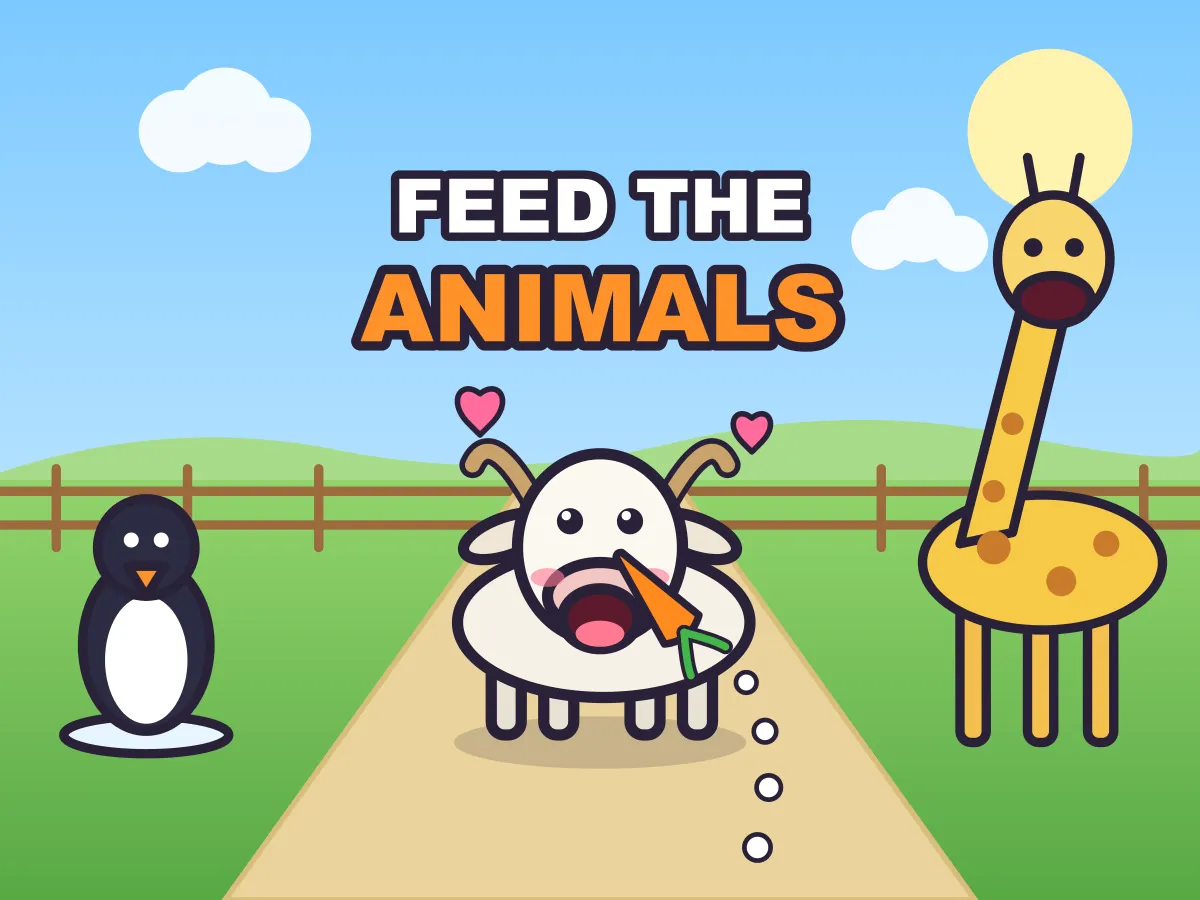
Feed the Animals is a free throw-food game you play online in your browser. A row of hungry animals waits in front of you — a goat by the fence, a hippo in its pond, a giraffe stretching high at the back — and each one shows the food it wants in a little bubble. Pick that food from the tray, drag up to aim and let go: left and right steer the throw, a longer drag sends it farther, and a dotted arc shows how it starts. The catch is that every mouth opens and shuts on its own rhythm, so a perfect aim at a closed mouth just bonks off a nose. The food takes a moment to fly, which means the best throws are let go just before the mouth opens. Every animal also has a patience ring that drains while it waits, and a bite tops it back up, so on the busy levels the real question is who to feed next. Bites in a row build a combo, and every miss costs a piece from a tray that is never quite big enough. There are 15 levels across three places — Sunny Zoo, Jungle River and Harbor Pier — with 12 animals to feed, swinging monkeys, snapping crocodiles, waddling penguins, bobbing sea turtles and a sea breeze to aim into. Coins from each level buy rare foods in the shop, and each rare food brings a rare visitor and a bonus level of its own. It works with a mouse, a finger or the keyboard, needs no download and no account, and saves your stars in your browser.
How to play Feed the Animals
- Press Play. The first level has one goat at a time and plenty of carrots, so you can learn the throw without any pressure.
- Look at the bubble above each animal: it shows the one food that animal eats, and the dots under it show how many bites it still wants.
- Tap that food in the tray at the bottom (or press 1, 2 or 3). The selected food sits in your hand, and the number on each tray button is how many pieces are left.
- Drag up from anywhere on the scene to aim. Dragging left or right steers the throw, and a longer drag throws farther and higher. The dotted arc shows the start of the flight.
- Let go to throw. On a keyboard, the arrow keys set the aim and the power (hold Shift for fine steps) and Space throws.
- Every mouth opens and shuts on its own rhythm. Food that reaches an open mouth is a bite; food that reaches a shut mouth bonks off the animal’s nose; the wrong food gets spat out with a loud bleh; anything that misses lands on the ground.
- The food takes a moment to fly — longer for animals farther away — so let go just before the mouth opens, not when it is already wide.
- A bite is worth 10 points for a near animal, 20 for one in the middle and 30 for one at the back. Three bites in a row double the points (×2), five in a row triple them (×3) and eight in a row make it ×5. Any miss resets the streak.
- Each animal has a patience ring around its bubble. It drains while the animal waits and every bite tops it back up. If a ring empties, that animal wanders off and the level is lost — so feed the animals whose rings turn red first.
- Every throw uses one piece from the tray. If the tray can no longer cover the bites still owed, the level ends. When every animal is full, the level is won: each animal pays a 20-point full bonus, each piece of food left over pays 15, and a level with no misses at all adds a 50-point clean-plate bonus.
- Stars come from your score: one for feeding everyone, two and three for the higher targets shown on the result card. A level opens the next one, and the fifth level of an area opens the next area.
- Each level pays coins — a tenth of its score, or half that if the level was lost. In the shop, coins buy bamboo, mango and krill, which bring the panda, the sloth and the whale, each with a bonus level. Feeding an animal for the first time adds its sticker to the album.
Tips
- Count the flight before you throw. A goat a few steps away is reached in under a second, a pelican on the far post takes well over one — start the far throws earlier.
- Release as the mouth starts to close, and the food usually arrives after it has shut. Release as it starts to open, and the food arrives right in the middle of the gulp.
- Your combo is worth more than any single far animal. On a busy level, a run of easy near bites at ×3 can outscore a risky throw at the giraffe that breaks the streak.
- Patience is shared out, not first come, first served. If two animals are hungry, feed the one whose ring is lower, even if it is the harder shot — a bite gives back a big slice of ring.
- Swinging and waddling animals move while the food flies. Aim where the head will be when the food arrives, not where it is now — follow the swing for a moment before you let go.
- On the pier, the windsock shows which way the breeze blows. The farther the animal, the longer the wind has to push, so aim farther into the wind for the back row.
- Check the tray count before a gamble. With one spare piece left, take the safe throw; with three, you can afford to try the hard one.
- Do not chase a missed throw with a hurried one. The hand needs a moment to reload anyway, and a calm second throw on the next opening beats two rushed ones.
- Replay finished levels to save up coins. The rare foods are priced so that clearing an area once gets you close, and a few replays for stars get you there.
FAQ
Is Feed the Animals free to play?
Yes. It is free in your browser with no download, no sign-up and no in-game purchases — the shop only takes coins you earn by playing.
How do you throw the food?
Drag up from anywhere on the scene and let go. Left and right steer, and the length of the drag sets how far and how high the food flies. A dotted arc shows the start of the throw. On a keyboard, the arrows aim and Space throws.
Why did the food bounce off the animal?
Its mouth was shut when the food arrived. Every animal opens and closes its mouth on a rhythm, and food that reaches a shut mouth bonks off its nose. Let go a little earlier, so the food lands just as the mouth opens.
Why did the animal spit the food out?
It was the wrong food. Each animal eats one food only — the bubble above it shows which. A wrong food costs the piece, breaks your combo and takes a little patience away.
How does the combo work?
Bites in a row multiply the points: three in a row is ×2, five in a row is ×3 and eight in a row is ×5. Any miss — a bonk, a wrong food or a throw that lands on the ground — resets the streak.
What happens when an animal runs out of patience?
It wanders off and the level is lost. The ring around each bubble drains while the animal waits, and every bite tops it up, so on busy levels feed the animals with the lowest rings first.
How many levels and animals are there?
There are 15 levels in three places — Sunny Zoo, Jungle River and Harbor Pier — plus three bonus levels, one for each rare visitor. You can feed 12 animals in all: goat, hippo, giraffe, monkey, toucan, crocodile, penguin, sea turtle and pelican, and the rare panda, sloth and whale.
How do I unlock the rare animals?
Buy their food in the shop with the coins you earn: bamboo brings the panda to Sunny Zoo, mango brings the sloth to Jungle River and krill brings the whale to Harbor Pier. Each one opens a bonus level.
How are stars and scores worked out?
Bites pay 10, 20 or 30 points by distance, times your combo. A full animal adds 20, each leftover piece of food adds 15 and a level with no misses adds 50. Feeding everyone earns one star; the result card shows the scores needed for two and three.
Can I play Feed the Animals on my phone?
Yes. Drag with your thumb to throw and tap the tray to switch food. It plays upright or sideways — the scene is the same either way, only the camera moves to fit the screen.
Is it multiplayer?
No. It is a single-player game: you feed the animals, and the only rival is your own best score on each level.
Is my progress saved?
Yes. Stars, best scores, coins, rare foods and stickers are saved in your browser on this device, so you can close the page and carry on later.