
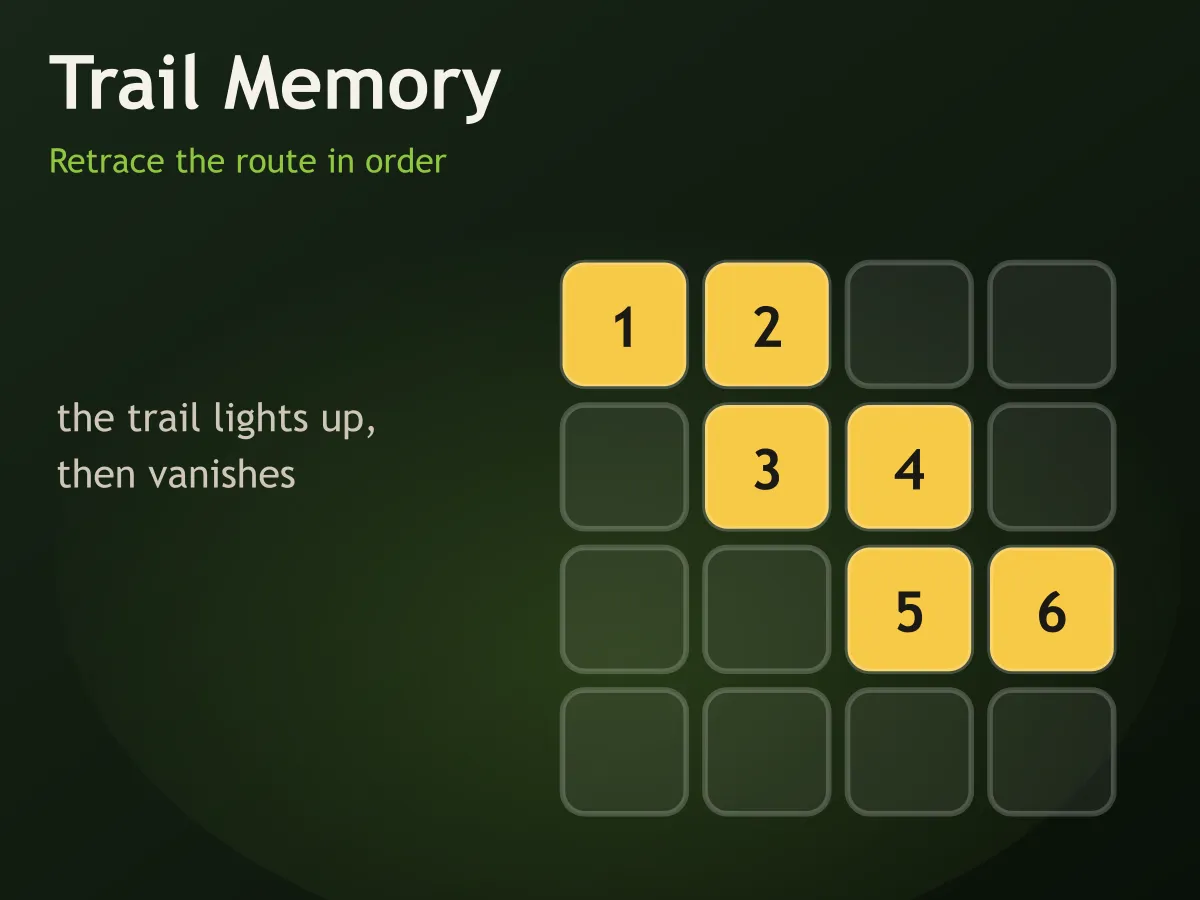








Trail Memory is a free online path memory game that plays instantly in the browser, with no download and no account. A trail lights its way across a grid square by square, numbering each step as it goes, and then it is gone. Your job is to lay the same route back down by tapping the squares in order. It starts as four steps on a three-by-three board and finishes as twelve steps on a six-by-six one. Halfway through, the trail starts crossing itself: a square you already used comes round a second time, which sounds like a small change and is not — you can no longer remember the route as a shape, because the shape now has a knot in it and only the order tells you which way through it goes. Miss a step and the trail replays itself slowly so you can see where you lost it.
How to play Trail Memory
- Each round begins with a short pause, then the trail lights up one square at a time, numbered as it goes.
- The numbers disappear with the light, so the finished trail is never sitting there to be read — you have to hold it.
- When the board goes dark, tap the squares back in the same order. Each correct tap stays green and keeps its step number, so you can see how far along you are.
- One wrong square ends the round. The trail then replays itself more slowly than it was shown, so you can see exactly where you went astray.
- Three correct trails clear a level, or four from level nine onward.
- The trail always moves to a square sharing an edge — never diagonally, and never straight back the way it just came.
- From level seven the trail may pass through a square twice. Tap it twice, in the right places in the order.
- New Trail draws a different route for this round; Restart Level puts the counter back to zero.
Tips
- Watch the direction of travel, not the squares. "Up, up, right, down" is far easier to hold than four separate positions on a grid.
- Break the route at the turns. Most trails are three or four straight runs joined by corners, and a run of any length costs about as much to remember as a single step.
- Use the board edges as anchors. A trail that starts in a corner or hugs a wall gives you a fixed reference the middle of the board does not.
- On the crossing levels, note where the knot is as it happens. Realising afterwards that you passed through the middle twice is much harder than noticing it at the time.
- Do not rush the replay after a miss. It is deliberately slower than the original and is the fastest way to work out whether you lost the start, the middle or the end.
- Trace with your finger just above the screen while the trail is showing. Turning it into a movement rather than a picture roughly doubles how long it lasts.
- If a level feels impossible, check whether you are losing the last two steps. That is almost always what goes first, and the fix is to stop replaying the start while the end is still being drawn.
FAQ
Is Trail Memory free to play?
Yes. It runs in your browser with no download, no sign-up and nothing to buy. All twelve levels are included and unlock as you clear them.
How is this different from a memory matching game?
A matching game asks where things are — you uncover pairs and remember locations. This asks for a route: which squares, in which order, joined edge to edge. Order is the whole difficulty, which is why a trail that crosses itself is so much harder than one that does not.
What happens when the trail crosses itself?
From level seven a square can appear twice in the route, so you tap it twice at the right points in the order. It changes the memory task completely: up to that point you can hold the trail as a shape, and after it you cannot, because the shape alone no longer says which way through the crossing you went.
Can the trail move diagonally?
No. Every step goes to a square sharing an edge with the last one, and it never steps straight back the way it came — a there-and-back would look like a flicker rather than a move.
What happens if I tap the wrong square?
The round ends and the whole trail replays at a slower speed than it was first shown, so you can see where you lost it. It costs one miss and the round, nothing else.
Is there a time limit?
No. Only the trail itself is timed. Once the board goes dark you can take as long as you like, and nothing counts down while you retrace.
How big does the board get?
Three by three at the start, six by six from level nine. The trail grows from four steps to twelve over the same span, and the pace of the light quickens from roughly two steps a second to three.
Does Trail Memory work on a phone?
Yes. The board is sized from whichever of the width and height is smaller, so it stays square and fully tappable in portrait as well as on a desktop screen.