






Home / Creative / Pixel Art Maker
Pixel Art Maker is a free online pixel art editor you can use straight from the browser, with no download, no sign-up and nothing to install. It has the four tools that actually matter for pixel work — pencil, flood fill, eraser and colour picker — a nineteen-colour palette, unlimited undo and redo, and three canvas sizes at 16×16, 24×24 and 32×32. The pencil draws on drag, so a line is one stroke rather than forty taps, and the fill is deliberately four-connected: it stops at the single-cell diagonal seams that pixel art is built from instead of leaking through them, which is the one behaviour that makes a fill tool feel broken. What you draw is saved as you go, separately for each canvas size, so closing the tab does not cost you the drawing. Save PNG writes the art out at sixteen real pixels per cell with the empty cells left transparent, so it drops straight into a chat, a document or a game project. Alongside Free Draw there is Trace, which is the part that makes this more than a blank grid: eight sprites — heart, mushroom, cat face, ghost, rocket, flower, crown, robot — shown as a reference next to your canvas, with every cell you have not matched yet outlined in red and a live percentage that only reads 100% when the copy is exact, background included. Sprites unlock in order, Hint fills the first cell that is wrong, and nothing anywhere is timed.
How to play Pixel Art Maker
- Free Draw is the blank canvas. Pick a colour from the palette, pick a tool, and click or drag on the grid to paint. Dragging paints every cell the pointer crosses, so a straight line is one stroke.
- Pencil paints one cell. Fill floods the whole connected run of whatever colour you clicked — up, down, left and right only, never diagonally, so a one-cell diagonal gap holds the fill in.
- Eraser sets cells back to empty, which is transparent rather than white. The checkerboard you can see through the canvas is what "empty" looks like, and it is not part of the picture.
- Picker copies the colour already in a cell back into the palette and switches you to the pencil, which is how you carry on with a shade you used earlier without hunting for it.
- Canvas sizes are 16×16, 24×24 and 32×32, and each one keeps its own drawing. Switching between them does not overwrite anything — you can leave a sprite half-finished on the small grid and start something else on the large one.
- Undo and Redo have no practical limit for a session, and Ctrl+Z / Ctrl+Shift+Z work too. Each painted cell is its own undo step, so a drag can be walked back one cell at a time.
- Save PNG downloads what is on the canvas at sixteen image pixels per grid cell, with the empty cells kept transparent so the art sits on any background.
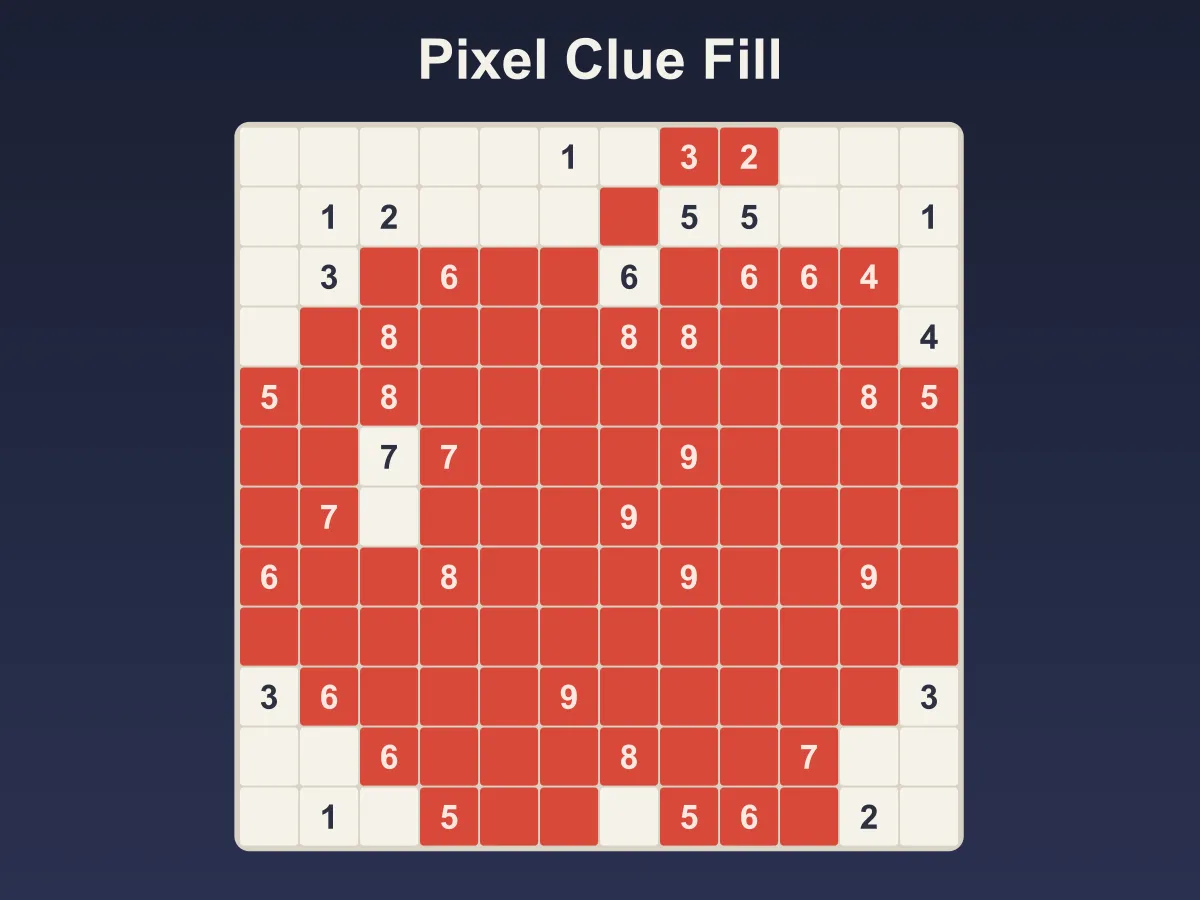
- Trace mode swaps the blank canvas for a challenge. A reference sprite appears beside the grid, and every cell that does not match it yet is outlined in red.
- The percentage in the status line is exact per-cell agreement, background cells included, so a stray pixel in the empty space costs you exactly as much as a missing one in the subject.
- Trace completes on its own the moment the match hits 100% — there is no submit button. Finishing a sprite unlocks the next one, and Hint fills in the first cell that is wrong if you get stuck.
Tips
- Block in the outline first, then fill the insides. Every one of the eight trace sprites is drawn that way — a dark outline enclosing flat colour — and doing it in that order means one fill click replaces twenty pencil taps.
- If a fill floods more than you wanted, undo and check the outline for a gap. A single missing outline cell is enough to let the colour escape into the background, and it is far easier to spot after the fill than before.
- The picker is faster than the palette once a drawing has more than a few colours, especially on the 32×32 grid where the swatch you want is easy to lose track of.
- In Trace, work down the red outlines rather than by eye. They mark exactly the cells that disagree with the reference, so when the last outline goes the level is already finished.
- A blank canvas already scores well in Trace, because most of a 16×16 sprite is background. Do not read the starting percentage as progress — the number that matters is the count of cells still to go, which is next to it.
- Erase, do not paint white. White is a real colour in the palette and Trace counts it as wrong wherever the reference is transparent, which is the single most common way a trace stalls at 97%.
- Save PNG exports whatever is on the canvas right now, including a half-finished drawing. It is a perfectly good way to keep a snapshot before trying a risky change.
- Keyboard shortcuts are worth learning if you draw for more than a few minutes: B for pencil, G for fill, E for eraser, I for picker.
FAQ
Is Pixel Art Maker free to use?
Yes. It runs entirely in your browser with no download, no account and nothing to buy. Every tool, every canvas size, the PNG export and all eight trace sprites are available from the first visit.
Can I download my pixel art?
Yes — Save PNG downloads the canvas as a PNG image at sixteen image pixels per grid cell, so a 16×16 drawing comes out at 256×256. Empty cells stay transparent in the file rather than turning white, so the art drops onto any background cleanly.
Does my drawing get saved if I close the tab?
Yes. Free Draw saves to your browser as you draw, and each of the three canvas sizes keeps its own separate drawing. It is stored on your device only — there is no account and nothing is uploaded, so clearing your browser data or switching to a different device will not carry it across.
Why does the fill tool stop at diagonal lines?
Because it fills four-connected — up, down, left and right, never through a corner. Pixel art is full of one-cell diagonal edges, and a fill that treated those as connected would leak out of every shape you drew. It means a diagonal line is a real wall, which is what you want.
What is Trace mode?
It is the challenge half of the tool. A reference sprite is shown next to your canvas and you copy it cell for cell, with a live match percentage and a red outline on every cell that is still wrong. It completes automatically at 100% and unlocks the next of the eight sprites.
Why is my trace stuck at 99% when it looks identical?
Almost always a stray pixel in the background. The match is exact per-cell agreement including the empty cells, so a single cell painted white where the reference is transparent counts as wrong even though it looks like nothing. Follow the red outlines rather than your eye, or use Hint to jump straight to it.
How big can the canvas be?
Three sizes: 16×16, 24×24 and 32×32. They are deliberately small — pixel art gets its character from the constraint, and a grid you can still see whole on a phone is more useful here than a large one you would have to scroll.
Does Pixel Art Maker work on mobile?
Yes. The canvas takes touch input directly and dragging a finger paints a line the same way a mouse drag does, with the tools and palette stacked underneath the grid on a narrow screen. The PNG export works on mobile browsers too.